Replacing the SIM card on the Remote ID Pro
In this section, a guide is provided to help you replace the included SIM card in the Remote ID Pro, step-by-step.
You will need a screwdriver for a M2 screw and a prepaid SIM card with LTE-M capabilities.
1. Remove the cover
Start by removing the cover on the Remote ID Pro by removing the 2 screws in place.
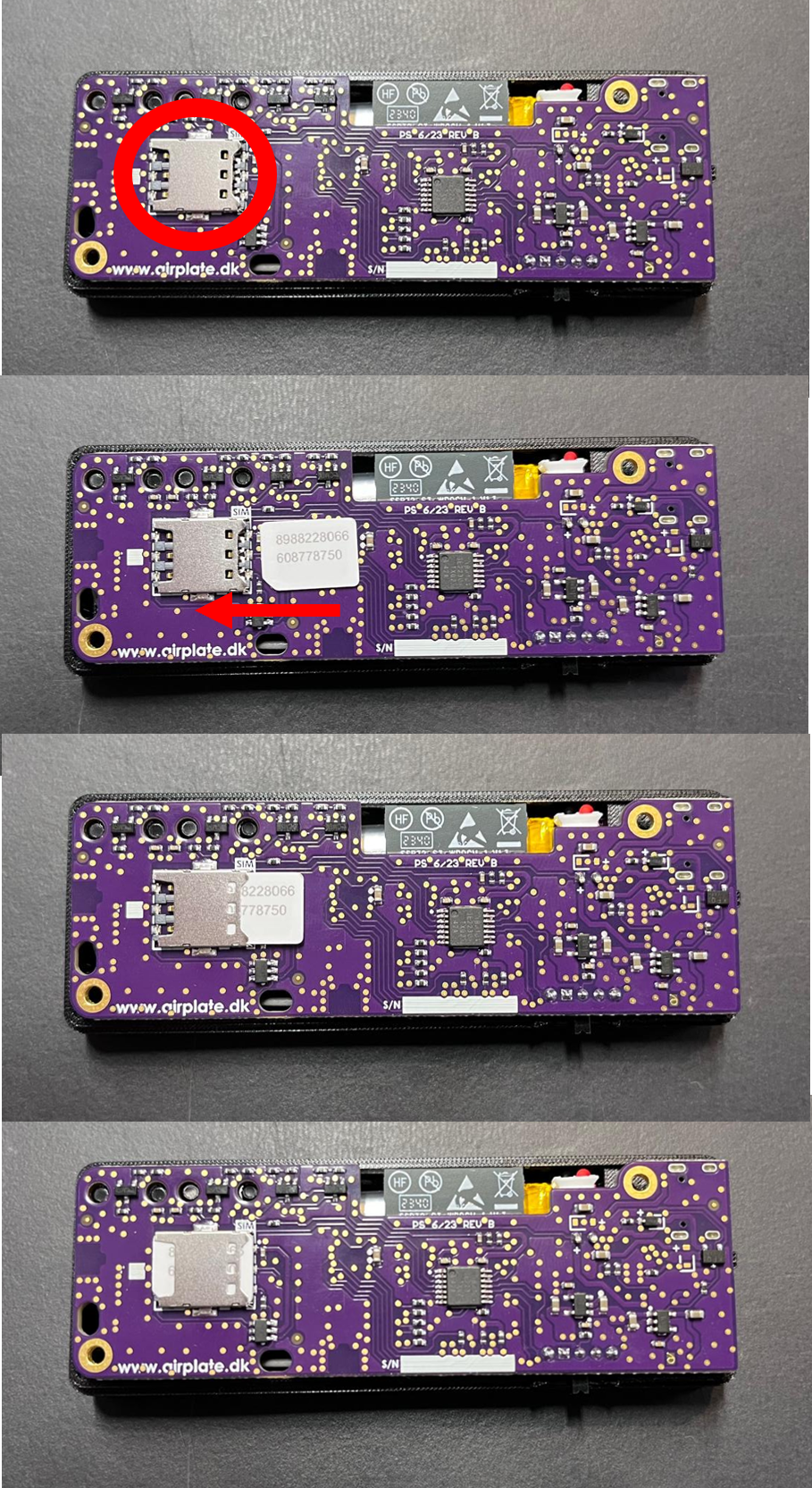
2. Locate SIM card slot on motherboard
You should be able to see a slot with the preinstalled SIM card.
3. Remove SIM card
Remove the old SIM card from the SIM card slot.
4. Insert new SIM card
Slide in your new SIM card, it needs to be capable of LTE-M.
5. Put cover on
Put the cover back on and put the screws back. Tighten them and you are good to go!
No further actions needs to be taken, the SIM card will work instantly.
Below here is a image showing the SIM slot' location and how your SIM card should be placed in it.