Two-Factor Authentication (2FA) with TOTP
To enhance account security, our platform supports Two-Factor Authentication (2FA) using Time-Based One-Time Passwords (TOTP). This adds an extra layer of protection beyond your password.
What is 2FA?
Two-Factor Authentication (2FA) is a security feature that requires two types of verification when logging in:
- Something you know – Your password.
- Something you have – A temporary code generated on your phone.
This makes it much harder for attackers to access your account, even if your password is compromised.
How TOTP Works
TOTP is a widely used 2FA method that works as follows:
- You link your account to a TOTP authenticator app (such as Google Authenticator, Microsoft Authenticator, or Authy).
- The app generates a 6-digit code that refreshes every 30 seconds.
- When logging in, you enter your password and the current code from the app.
Since codes are time-sensitive and generated locally, they cannot be reused or intercepted.
How to Enable 2FA with TOTP
Follow these steps to activate TOTP-based 2FA:
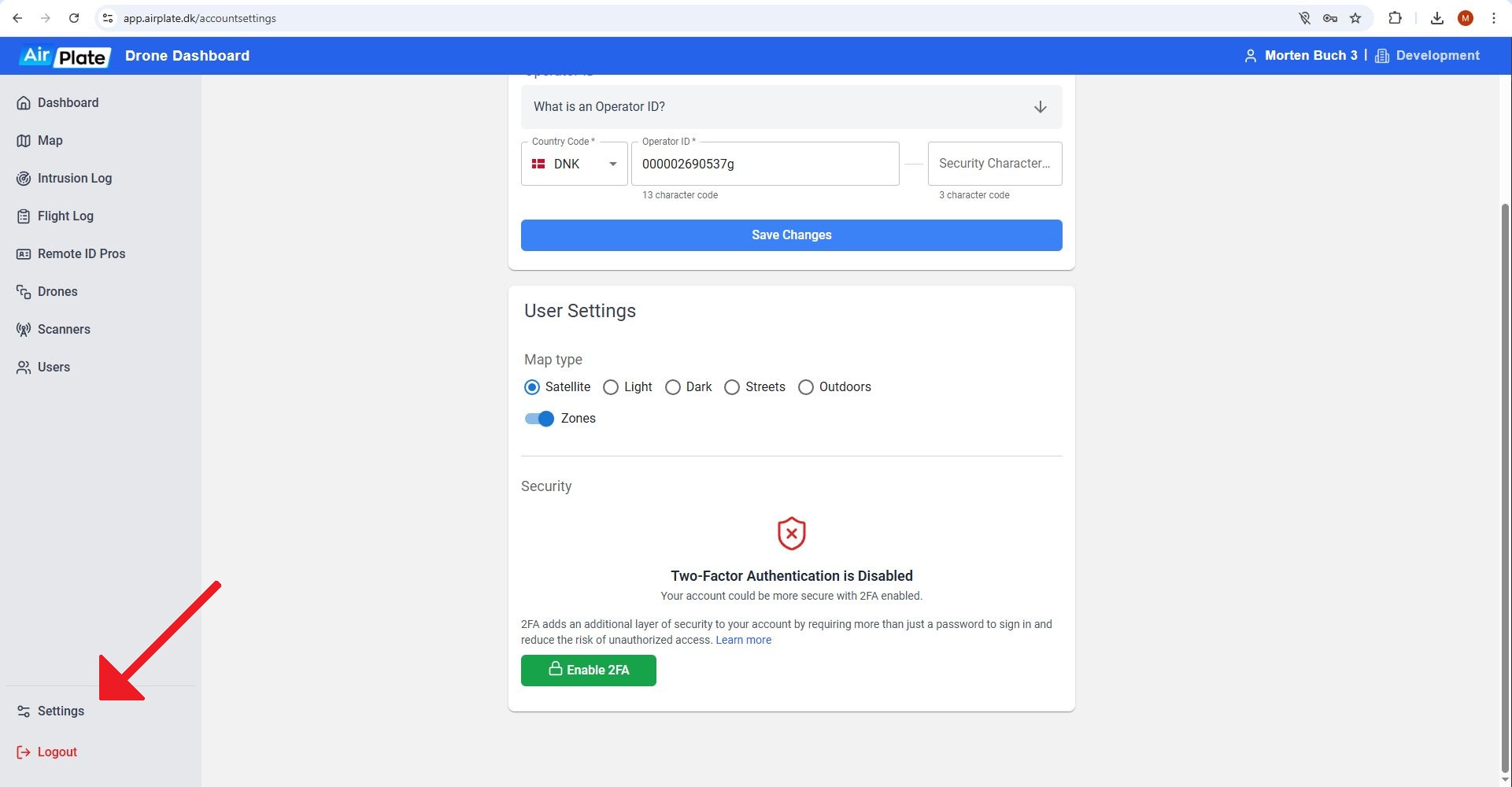
- Go to your account settings and locate the Two-Factor Authentication section.

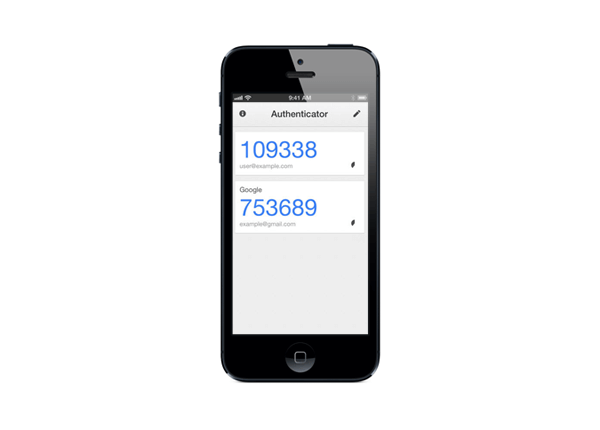
- Scan the QR code using an authenticator app (e.g. Google Authenticator, Okta Verify).
- Enter the verification code displayed in the app to confirm setup.
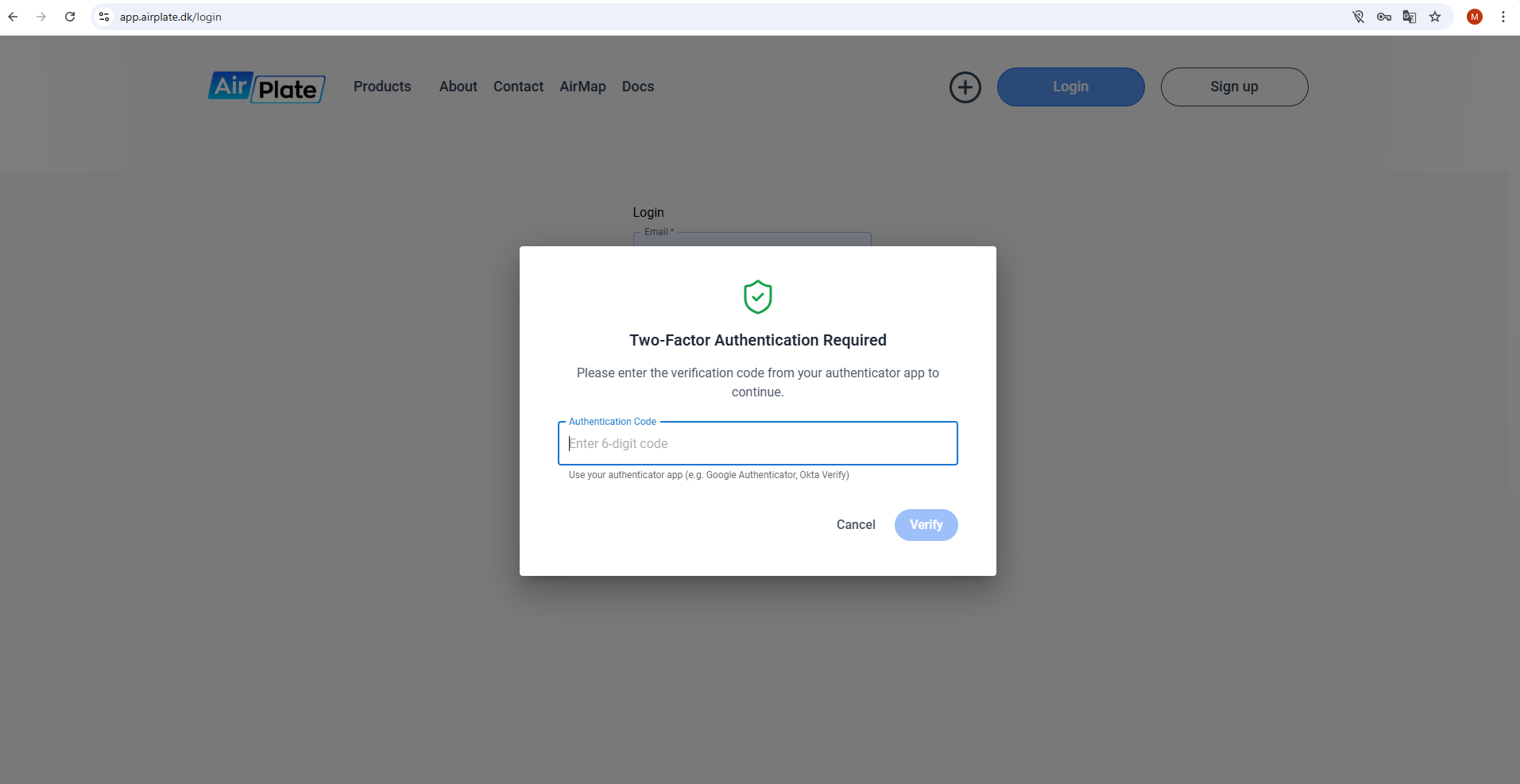
- Enter the 6-digit code from your authenticator app each time you log in to verify your identity.
Why Use TOTP Instead of SMS?
TOTP offers several advantages over SMS-based 2FA:
- More secure: Codes are generated locally, while SMS codes can be intercepted.
- Works offline: No internet or mobile signal is required to generate codes.
- No SIM swap risk: Attackers can't hijack your phone number to steal your codes.
By enabling 2FA with TOTP, you significantly enhance the security of your account and reduce the risk of unauthorized access.